

WordPress 5.9 is here, as always, right on schedule __ January 25th, 2022. The name is “Josephine” in honor of acclaimed international jazz singer Josephine Banker. She is known for her versatility, which is a quality that can also be WordPress 5.9 is here, as always, right on schedule — January 25th, 2022. The name is “Josephine” in honor of acclaimed international jazz singer Josephine Baker. She is known for her versatility, which is a quality that can also be seen in this latest release.
Table of Contents
- WordPress 5.9: New Features
- The Twenty Twenty-Two Theme
- Global Style
- Performance Improvements
- Block Inserter Enhancement
- Improved Lazy Loading
- Faster Block Themes
- Less CSS Loaded
WordPress 5.9: New Features
The most important feature that comes is full with wordpress 5.9 is, of course, Full site Editing (FSE). Many of the 5.9 features are available only when you use a theme that supports FSE. Naturally, one of those themes is Twenty Twenty- Two
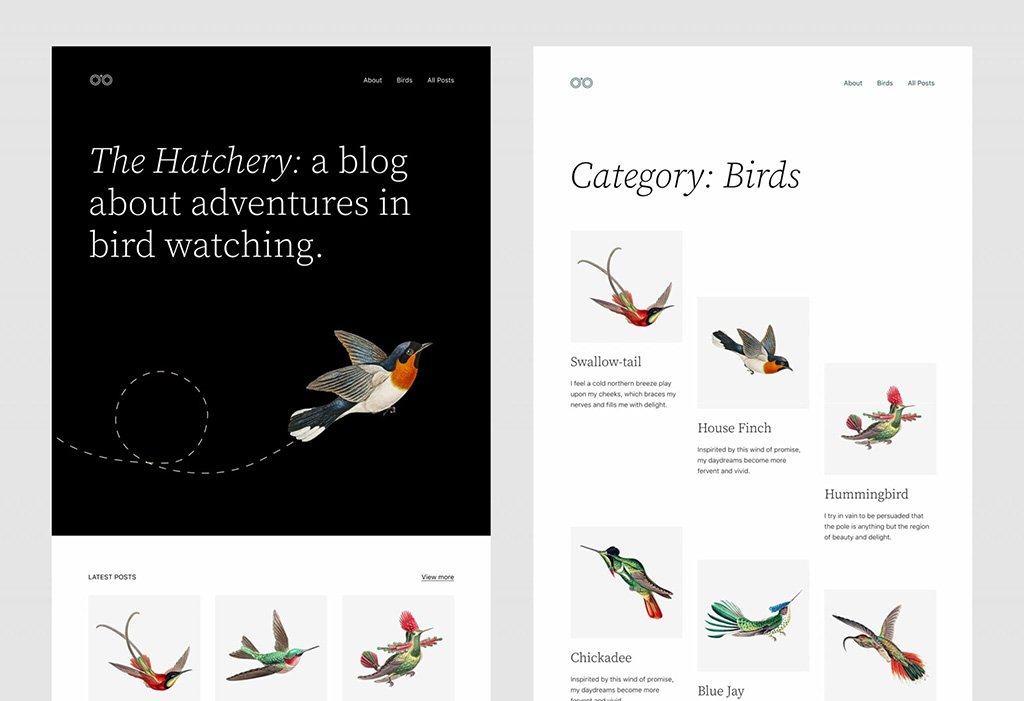
WordPress 5.9 gets us to the center of the Gutenberg Roadmap, namely the Customization phase. That phase is again mostly the heart of the Gutenberg Roadmap, reaching the much-anticipated Customization phase. This phase is primarily centered around providing users with full site editing capabilities. It empowers users to customize every part of their site.
The goal is to offer Greater design freedom while maintaining the simplicity that WordPress is known for. Key features include the new Twenty Twenty-Two default theme, an improved navigation block, and enhanced styles interface. This marks a significant shift in how themes are built and used. Overall, it brings us closer to a fully block-based WordPress experience.
The Twenty Twenty-Two Theme
Twenty Twenty-Two is the first default block theme in the history of WordPress. This is more than just a new default theme__ It’s a brand-new way to work with WordPress themes.
Block themes put a wide array of visual choisces directly Block themes put a wide array of visual choices directly into the hands of users, making site customization more flexible and intuitive than ever before.
Instead of relying on custom code or third-party page builders, users can now design entire pages and templates using blocks. This includes elements like headers, footers, sidebars, and even individual post layouts. Each part of the site becomes editable through the site editor, offering real-time previews and adjustments.
Global Style
The release of WordPress 5.8 in 2021 brought us a new “Global Styles” is both a system for loading CSS and an interface created to help users change the style of their site without having to edit individual blocks or pages.
From a theme developer perspective, Global Styles makes it easier to style blocks in the editor and front.
Users can select a body background color or change the line height of all their heading blocks from one place.
With style variations, the theme developer can add multiple styles the user can choose from. For example, having a dark, light, or purple version makes themes more versatile than ever.
Global Styles have low CSS specificity: Styles added to individually selected blocks, including styles in a block template’s HTML markup, override Global Styles.
Both classic PHP-based themes and block themes can take advantage of global styles using theme.json. But only block themes use the new Styles interface.
- Typography:
- colors:
- Layout:
- Blocks:
The addition of new components is expected to be added over time.
Performance Improvements
As a website owner, you should be aware that speed is crucial. That’s why you should be excited about the performance improvements coming with WordPress 5.9.
These improvements affect multiple areas of the CMS, including the block editor, themes, and how resources like images and CSS are loaded. The goal is to reduce load times, improve user experience, and boost overall site performance. Whether you’re a developer or a content creator, these changes help your site run smoother and faster right out of the box.
Block Inserter Enhancement
In WordPress 5.9, block types, patterns, and categories in the Block Inserter now load lazily. This means faster loading times and a smoother user experience when building pages. This change means the editor doesn’t have to fetch all block data upfront, which significantly reduces the time it takes to open the block inserter panel. As a result, content creators experience faster interactions and a smoother workflow while building or editing pages
Improved Lazy Loading
Images and iframes now use smarter lazy loading, reducing page load time and improving SEO performance. Images and iframes are now loaded only when they are close to entering the user’s viewport. This reduces unnecessary network requests during the initial page load, leading to faster performance for visitors. Additionally, faster loading pages can lead to better SEO rankings, lower bounce rates, and improved user satisfaction. These enhancements make lazy loading more efficient and impactful, especially for image-heavy websites.
Faster Block Themes
Block themes are now more efficient thanks to reduced CSS and optimized template loading, leading to quicker rendering and better performance. This means that sites using block themes render much faster, even on lower-powered devices or slow internet connections. These improvements are particularly beneficial for mobile users and help ensure that modern WordPress themes deliver both style and speed without compromise.
Less CSS Loaded
WordPress 5.9 smartly loads only the CSS needed for each page. By avoiding unused styles, it reduces page size and speeds up loading times. Instead of loading a large stylesheet with styles for every block, WordPress now loads only the CSS needed for the blocks used on a particular page. This reduces the amount of unused CSS and significantly decreases the total page size. As a result, pages load faster, reduce bandwidth usage, and offer better performance across all devices. This change also makes it easier to manage and debug styles on custom themes.